Two desks
Ivory by day.
Ivory by day.
Charcoal by night.
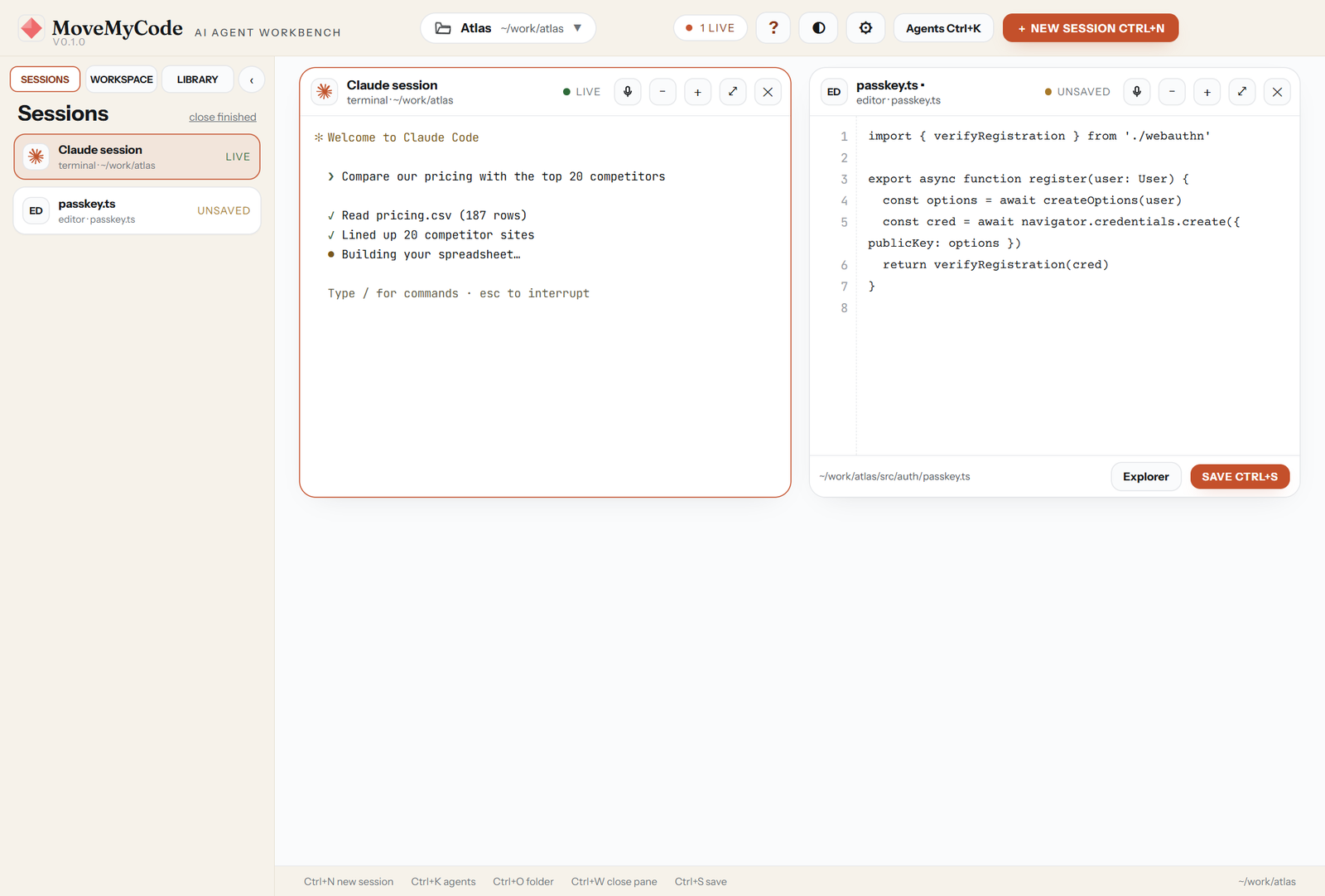
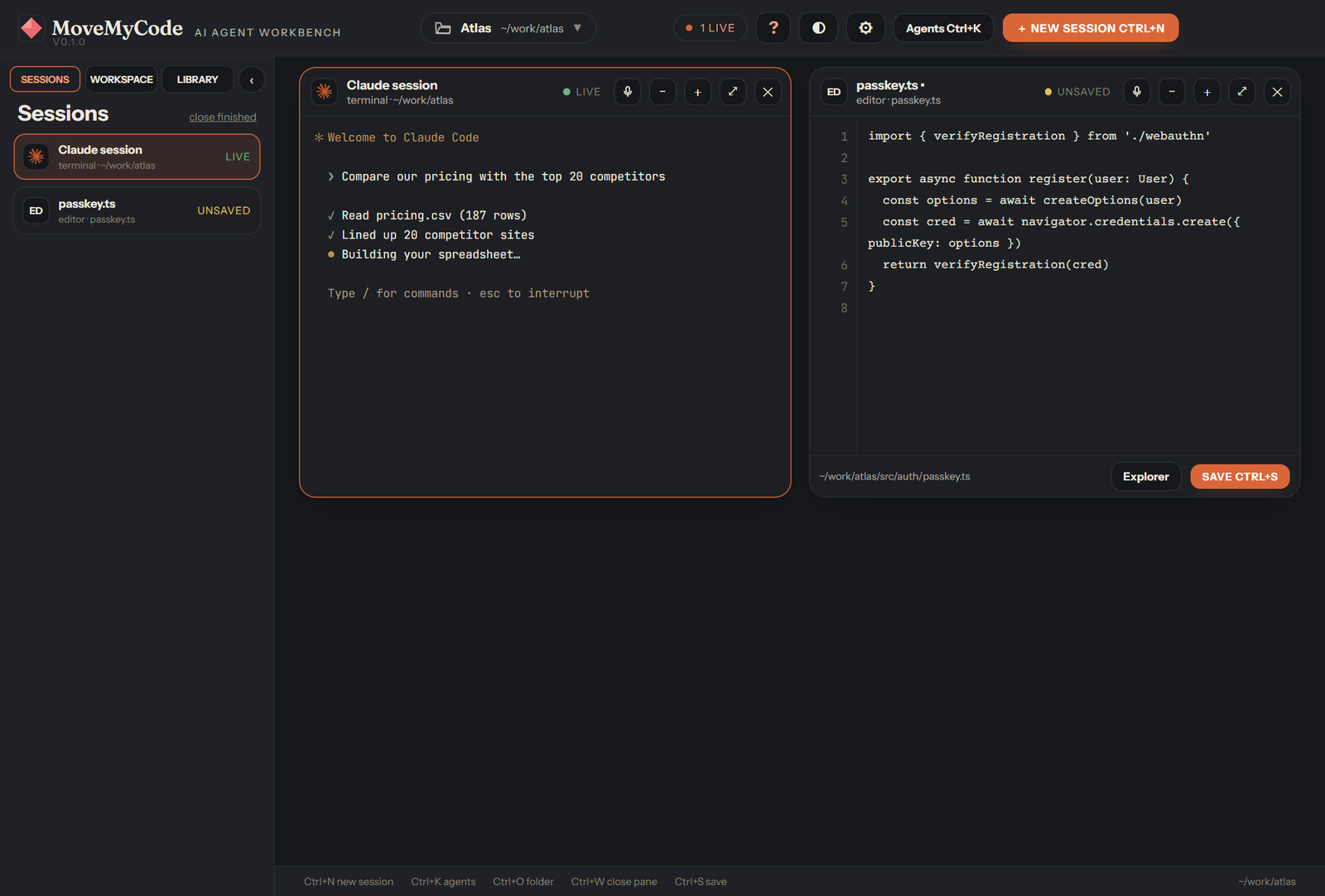
The same layout in light and dark, with the terracotta accent from MoveMyWork. Six more desks are there if you want a change.
Open a folder. Say what you need in plain English. Claude Code, Codex, OpenCode and the rest do the work in their own panes, side by side, on your own computer. You watch all of it on one screen.
Claude Code signs in with your Claude account. Codex with your ChatGPT one. MoveMyCode adds no account and no second bill. At launch it checks which agents are installed and offers a one-click install for the ones that are not.
Each session gets its own pane. One agent writes the migration, one runs the tests, one drafts the release notes. Panes tile across the window, so four jobs fit on a laptop screen without tabs.
Type what you want, or press the microphone and say it. Dictation runs on your own machine with a 44 MB speech model, so it works offline and sends nothing anywhere.
An amber "Needs your OK" card means an agent is waiting on you before it writes, deletes or runs something. Nothing happens behind your back. How permissions work
MoveMyCode only looks inside the one folder you point it at. It has no telemetry, no launch ping and no cloud copy of anything. The agents talk to their own providers; MoveMyCode talks to no one.
Describe an agent in plain words and it lands in your library, ready to run. Connect a service like Notion, Gmail or Slack once, through MCP, and every agent you run can use it.
The same layout in light and dark, with the terracotta accent from MoveMyWork. Six more desks are there if you want a change.
MoveMyCode does not ship a model of its own. It runs the command line agents from the labs, in a real terminal, with their own sign-in. Swap one for another when a better one ships.
Not sure which? Pick an agent compares them in one table.

No sign-up form, no key to paste, no config file.
Download the installer or the portable exe. Windows 10 or 11, 64-bit. About 200 MB, most of it the speech model and the terminal.
Press Ctrl+O and pick the folder you work in. MoveMyCode never looks outside it. No folder yet? It will make you one.
Press Ctrl+N, pick who runs it, and type the job. The agent works in its pane while you open another.
Four agents typing.
One person deciding.
No. There is no MoveMyCode account. The agents sign in with the accounts you already have: Claude Code with Claude, Codex with ChatGPT, and so on.
Yes, today. We may charge for a future version. If we do, the version you installed keeps working under the terms you installed it with. Pricing has the detail.
No. MoveMyCode is free to use but not free to copy or resell. Parts of it are open source and carry their own notices, which the licence lists. The licence is short.
Nothing. No usage data, no crash reports, no launch ping. The only network traffic is between each agent and its own provider, which you set up yourself. Privacy lists what this website records.
Each agent asks before it writes or runs anything, and MoveMyCode shows that as an amber card you can approve or refuse. Deleted files go to the Recycle Bin, not away. Keep backups anyway. Agents make mistakes.
Not yet. MoveMyCode is Windows first. A Mac build is on the list, with no date to give you.
One download. One folder. Then ask for something.
Download MoveMyCode →